Unlocking Your Creative Potential:
A Guide to Getting Started with Midjourney 5
INTRODUCTION
Midjourney is an AI model that generates images. While the creators of Midjourney have not openly discussed the technology behind it, it is probable that it utilizes a diffusion model similar to Stable Diffusion rather than a GAN-based model. GANs are commonly employed for generating images, particularly in deepfake creation.
GETTING STARTED
Midjourney primarily operates within the Discord chat platform, which has gained significant popularity among gamers. At the moment, there is no dedicated web platform for generating images using Midjourney. However, they do provide a page for managing user accounts, FAQs, and a gallery to view the images created by users. While there are no publicly accessible APIs available at present, there have been discussions and indications that APIs and a dedicated website for image creation are being developed.
- Visit the Discord website: Go to the official Discord website at https://discord.com/ in your web browser.
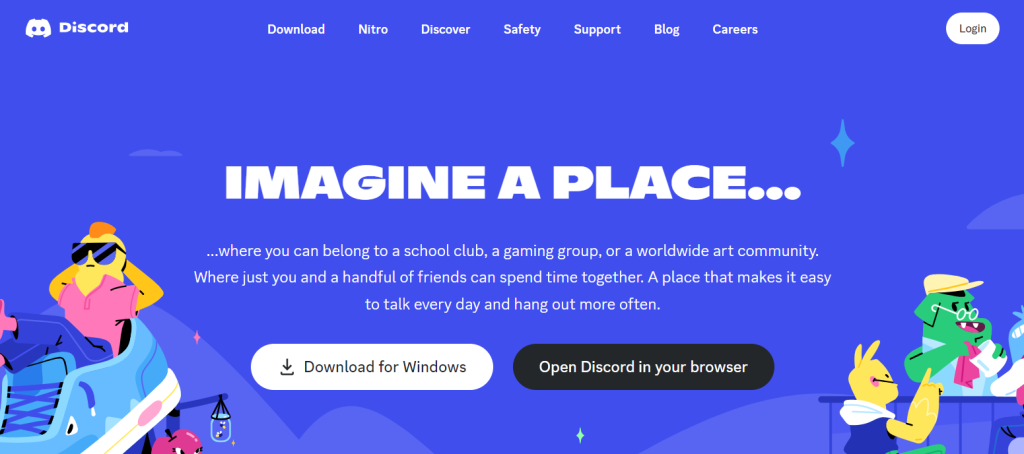
- Sign up: On the Discord homepage, click on the “Login” button located at the top-right corner of the page. On the login screen, click on the “Register” button to begin the account creation process.
- Provide your information: Enter your desired username, email address, and password in the appropriate fields. Make sure to choose a unique username that isn’t already in use by another Discord user.
- Complete the reCAPTCHA: Complete any verification process, such as solving a reCAPTCHA, to verify that you are a human user.
- Verify your email address: Discord will send a verification email to the address you provided during the registration process. Check your inbox and click on the verification link in the email to confirm your email address.
- Customize your account: After email verification, you’ll be prompted to set up your Discord profile. You can choose to upload a profile picture, write a short bio, and customize your account settings according to your preferences.
- Log In To Your Discord Account
- Subscribe to a Midjourney Plan
- Go to Discord and Add the Midjourney Server
- Complete the reCAPTCHA: Complete any verification process, such as solving a reCAPTCHA, to verify that you are a human user.
- Verify your email address: Discord will send a verification email to the address you provided during the registration process. Check your inbox and click on the verification link in the email to confirm your email address.
- Customize your account: After email verification, you’ll be prompted to set up your Discord profile. You can choose to upload a profile picture, write a short bio, and customize your account settings according to your preferences.